Capture audio from any source and save directly to popular formats with integrated editing tools
Capture audio from any source and save directly to popular formats with integrated editing tools
Vote (9 votes)
Program license Trial version
Developer TIAN FANG
Version 1.22.2.1
Works under Windows
Vote
(9 votes)
Developer
TIAN FANG
Works under
Windows
Program license
Trial version
Version
1.22.2.1
Pros
- Supports multiple input sources including streaming audio and microphone
- Records directly to MP3, WAV, WMA, and OGG formats
- Features built-in audio converter, ID3 tag editor, and player
- User-friendly interface with manageable learning curve
- Lightweight and compatible with a broad range of Windows versions
Cons
- Interface design appears dated compared to newer audio tools
- Lacks advanced editing features such as waveform editing or effects
- Trial version may limit some advanced functionality
- No support for Mac or Linux platforms
Efficient tool for recording, converting, and editing audio on Windows
Comprehensive Audio Recording Abilities
Audio Sound Recorder is equipped to capture audio from a wide array of sound sources. Whether the source is a microphone, streaming from an online platform, playback from various media players, or even other Windows applications, this tool ensures reliable recording performance. This versatility caters to users looking to digitize analog audio, record online radio, create podcasts, or save system audio output for personal use.
Direct Recording to Popular Formats
The software supports recording straight to prominent audio file types including MP3, WAV, WMA, and OGG Vorbis. Direct-to-file recording without the use of temporary files streamlines the process and avoids unnecessary storage use. For users concerned with preserving audio quality or achieving specific compression rates, the software offers convenient control over recording parameters such as bitrate and sample rate.
Integrated Audio Management Suite
Audio Sound Recorder extends beyond basic recording. A built-in audio converter allows users to switch between supported formats as needed, which is ideal for managing compatibility across different devices or applications. The inclusion of an ID3 tag editor lets users organize their MP3 collections efficiently by updating metadata such as title, artist, or genre. An integrated audio player facilitates immediate playback, making it easy to review recordings or work with a library of sound files inside the same environment.
User-Centric Design and Usability
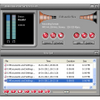
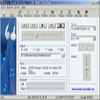
The application features a straightforward, intuitive interface suitable for both casual recorders and those with more demanding audio requirements. Options and features are clearly laid out, minimizing the learning curve for new users. A dedicated recording files history list helps keep track of all sessions, ensuring that work is never lost or mismanaged.
Performance and System Requirements
Designed for compatibility with older and modern Windows systems alike, Audio Sound Recorder requires a functional sound card and a minimum of 64 MB RAM. The software manages resources efficiently, with quick installation and modest storage requirements. Performance during recording and conversion remains responsive, even under prolonged use.
Flexible Trial Offering
A free trial version is available, which gives potential users the opportunity to test all major features before committing to a purchase. This trial approach aims to ensure the software meets individual recording and editing needs before investing in the full version.
Pros
- Supports multiple input sources including streaming audio and microphone
- Records directly to MP3, WAV, WMA, and OGG formats
- Features built-in audio converter, ID3 tag editor, and player
- User-friendly interface with manageable learning curve
- Lightweight and compatible with a broad range of Windows versions
Cons
- Interface design appears dated compared to newer audio tools
- Lacks advanced editing features such as waveform editing or effects
- Trial version may limit some advanced functionality
- No support for Mac or Linux platforms